
Bank Statement Converter
New
5|0 reviews|0 favorites
Introduction
Convert bank statement PDFs and images into editable Excel or CSV with side-by-side review and balance checks.
Listed on
September 25, 2026
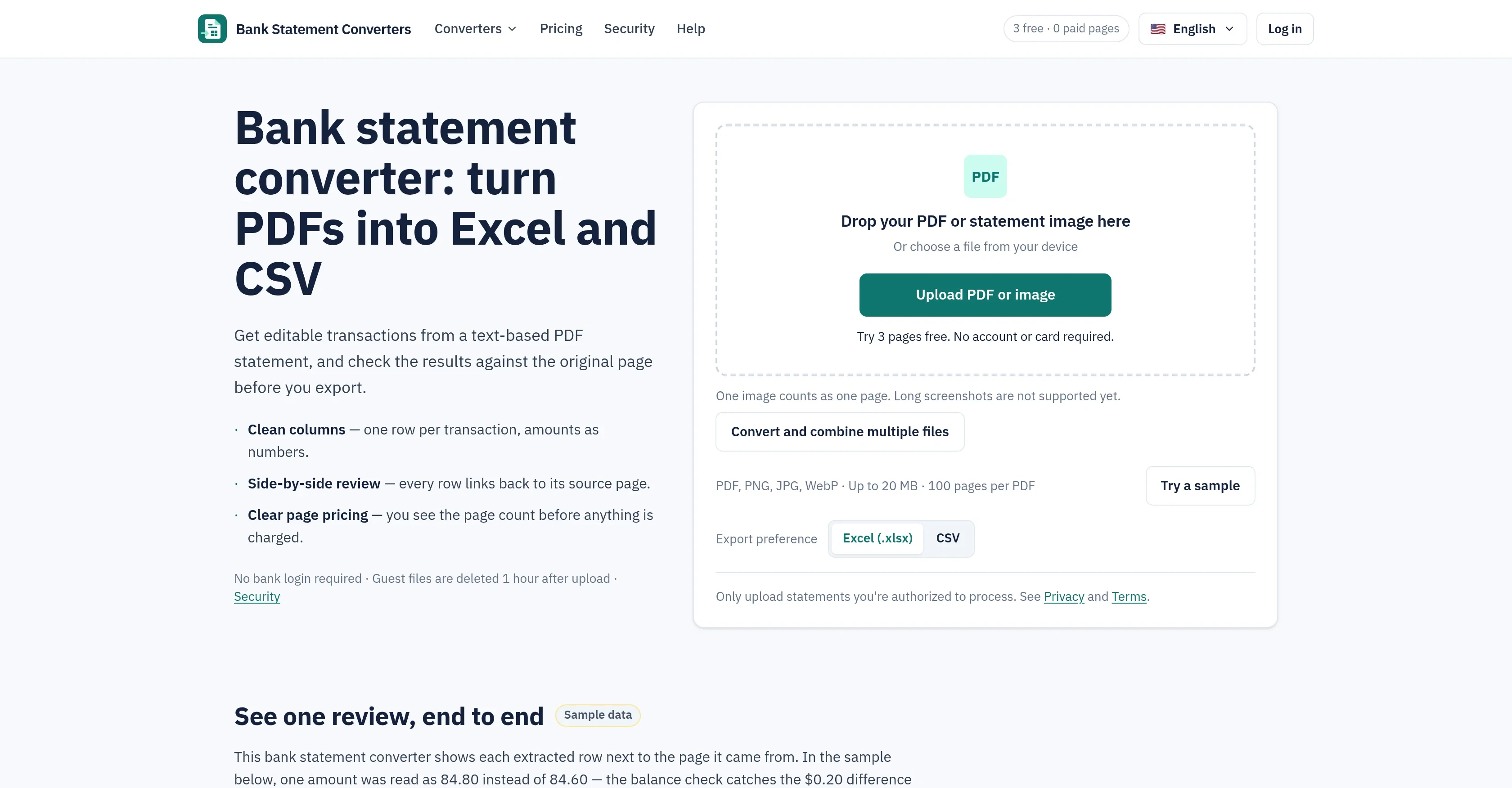
What is Bank Statement Converter?
Bank Statement Converters is a web tool that turns text-based bank statement PDFs and images into editable spreadsheets. It extracts one row per transaction with numeric amounts and dates, and links every row back to its source page for verification. A built-in balance check compares opening balance, money in and money out against the closing balance printed on the statement.
How to use Bank Statement Converter?
- 1. Upload a text-based PDF or statement image (PNG, JPG, WebP; up to 20 MB, 100 pages per PDF); the page count is shown before any charge. 2. Review extracted rows side by side with the original page, fix anything that looks wrong, and check which balance and duplicate checks pass. 3. Export the result as XLSX or CSV, re-exporting as often as needed without using extra pages. Try 3 pages free before paying.
Core features of Bank Statement Converter
- PDF to Excel (.xlsx) with numeric amounts and a summary sheet
- PDF to CSV (UTF-8, comma or semicolon delimiters) for accounting imports
- Side-by-side review: every row links back to its source page
- Balance and duplicate checks against the statement's printed totals
- Batch conversion: multiple PDFs or images into one spreadsheet
- One row per transaction, dates as YYYY-MM-DD, merged descriptions
- Optional source-page column for tracing any row
- No bank login required; guest files deleted 1 hour after upload
User reviews
5.0
/ 50 reviews
5 stars
0
4 stars
0
3 stars
0
2 stars
0
1 stars
0
No reviews yet. Be the first to write one.
Similar products





Bank Statement Converter Embed
Add a website badge to show your product on Hootool—help others find the right AI tool for their problem. Easy to place on your homepage or footer.