
AutoDub
5|0 reviews|0 favorites
Introduction
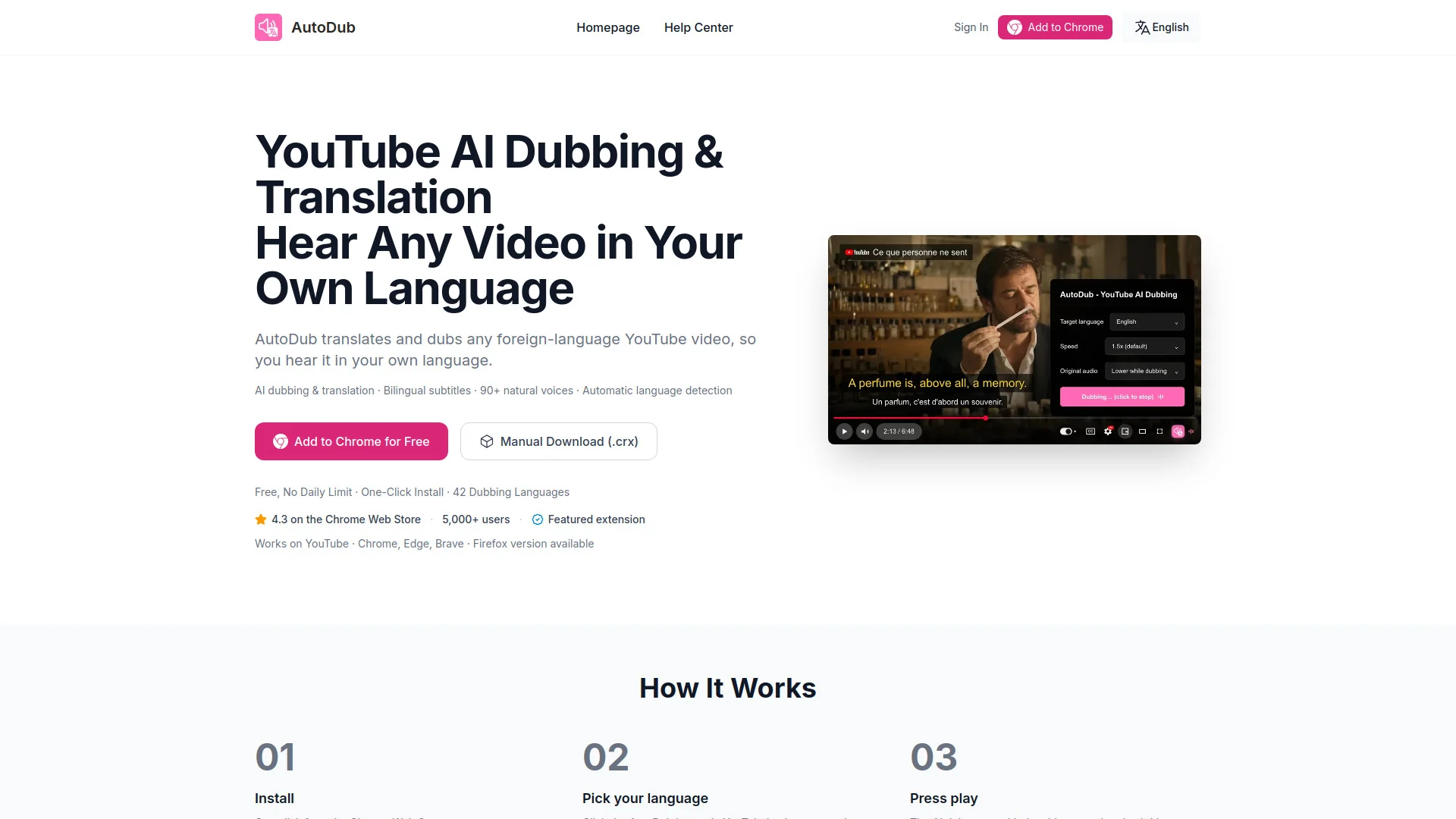
AutoDub is a browser extension that translates and dubs YouTube videos into your language with bilingual subtitles.
Listed on
August 24, 2026
What is AutoDub?
AutoDub is a browser extension that translates and dubs YouTube videos into your language. It uses AI to detect the original language and provides natural-sounding dubbing with bilingual subtitles. It supports over 42 dubbing languages and works on Chromium-based browsers like Chrome, Edge, and Brave, with a Firefox version available.
How to use AutoDub?
- Install AutoDub from the Chrome Web Store or manually via .crx file. After installation, visit any YouTube video page, click the AutoDub button in the player controls, and select your preferred language. The original language is detected automatically, and the AI dub plays with translated subtitles.
Core features of AutoDub
- AI dubbing & translation
- Bilingual subtitles
- 90+ natural voices
- Automatic language detection
- One-click install
- Works on YouTube with Chrome, Edge, Brave, and Firefox
- Free with no daily limit
- Supports 42 dubbing languages
User reviews
5.0
/ 50 reviews
5 stars
0
4 stars
0
3 stars
0
2 stars
0
1 stars
0
No reviews yet. Be the first to write one.
Similar products




AutoDub Embed
Add a website badge to show your product on Hootool—help others find the right AI tool for their problem. Easy to place on your homepage or footer.