
AutoCut
5|0 reviews|0 favorites
Introduction
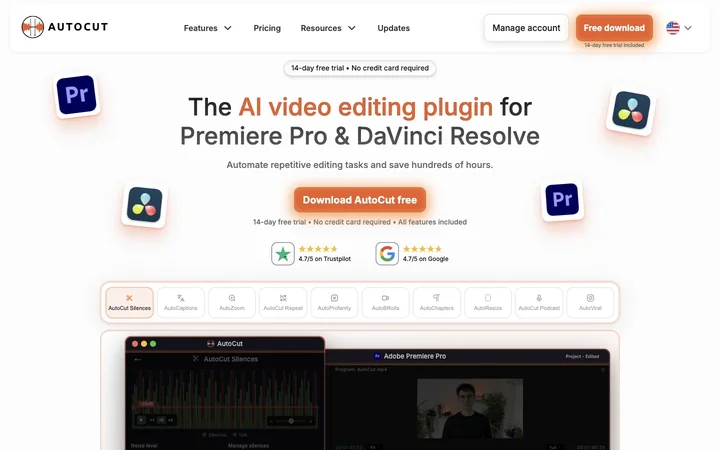
AutoCut is an AI video editing plugin for Premiere Pro and DaVinci Resolve that automates repetitive tasks.
Listed on
July 22, 2026
What is AutoCut?
AutoCut is an AI-powered plugin designed for video editors using Adobe Premiere Pro and DaVinci Resolve. It automates time-consuming editing tasks such as removing silences, generating animated captions, adding zooms, and creating B-rolls. The plugin integrates natively into these editing environments, allowing editors to streamline their workflow without switching tools.
How to use AutoCut?
- Download AutoCut from the website and install it into your editing software (Premiere Pro or DaVinci Resolve). Start a 14-day free trial with no credit card required. Once installed, access AutoCut features directly within your editor to automate tasks like silence removal, caption generation, and zoom effects.
Core features of AutoCut
- AutoCaptions: Generate and style animated captions automatically.
- AutoCut Silences: Detect and remove dead air to tighten cuts.
- AutoZoom: Add smooth, well-timed zooms without manual keyframes.
- AutoViral: Turn long videos into short clips for social media.
- AutoB-Rolls: Add relevant AI images and Storyblocks footage.
- AutoCut Podcast: Automatically switch camera angles in multicam edits.
- AutoCut Repeat: Remove repeated takes.
- AutoProfanity Filter: Bleep out swear words.
- AutoChapters: Create chapters in long videos.
- AutoResize: Resize videos for different platforms.
User reviews
5.0
/ 50 reviews
5 stars
0
4 stars
0
3 stars
0
2 stars
0
1 stars
0
No reviews yet. Be the first to write one.
Similar products





AutoCut Embed
Add a website badge to show your product on Hootool—help others find the right AI tool for their problem. Easy to place on your homepage or footer.