
Wondershare UniConverter
5|0 reviews|0 favorites
Introduction
All-in-one AI video converter and enhancer for Windows and Mac, supporting 1000+ formats, compression, recording, and AI tools.
Listed on
July 23, 2026
What is Wondershare UniConverter?
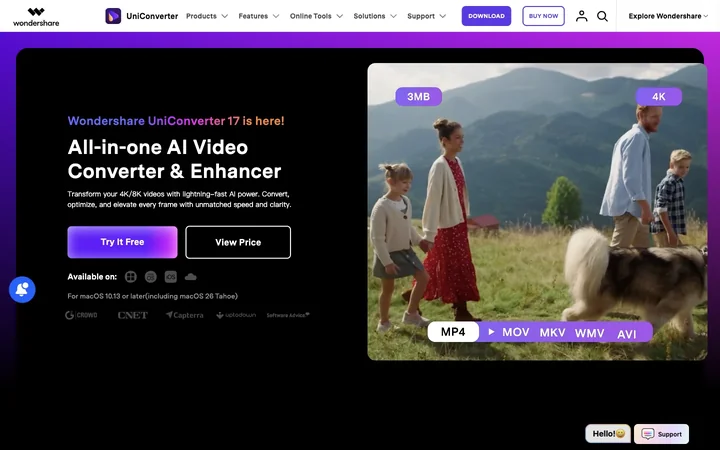
Wondershare UniConverter (originally Video Converter Ultimate) is a comprehensive video toolbox for Windows and Mac. It enables batch conversion, compression, editing, DVD burning, screen recording, and AI-powered enhancements like video upscaling, noise removal, and subtitle generation. The software supports over 1,000 formats and offers online tools for quick tasks.
How to use Wondershare UniConverter?
- Download and install UniConverter for Windows or Mac. Launch the app, choose a module (e.g., Video Converter, Video Enhancer, Compressor, Recorder). Import your media files, select output format or desired enhancement, adjust settings if needed, and start the process. For online tools, visit the website, upload files, and use the AI features directly in the browser.
Core features of Wondershare UniConverter
- Batch video/audio conversion (1000+ formats, up to 130x faster)
- AI video enhancement (upscale to 4K/8K, denoise, frame rate boost)
- Video compression (up to 90% size reduction)
- Screen recorder (up to 4K 120 FPS)
- AI tools: speech-to-text, subtitle generation, background remover, vocal remover, watermark remover
- DVD burner and video merger
- Online tools for quick conversions and edits
User reviews
5.0
/ 50 reviews
5 stars
0
4 stars
0
3 stars
0
2 stars
0
1 stars
0
No reviews yet. Be the first to write one.
Similar products







Wondershare UniConverter Embed
Add a website badge to show your product on Hootool—help others find the right AI tool for their problem. Easy to place on your homepage or footer.