
SpeechPulse

SpeechPulse

5|0 reviews|0 favorites
Visit website
Introduction
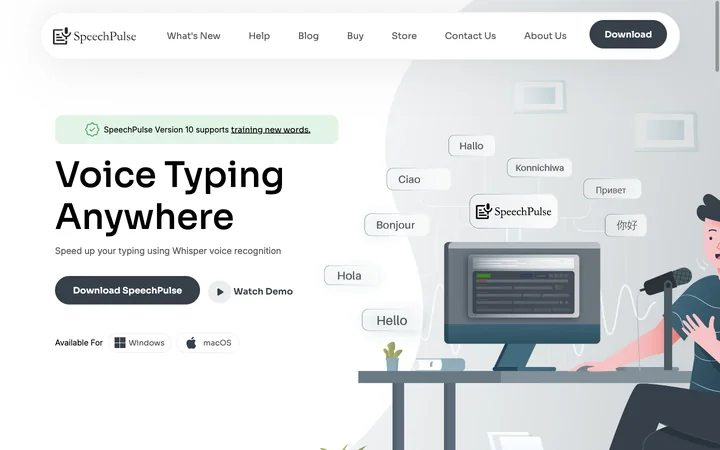
SpeechPulse is a speech recognition and translation app that lets you dictate text anywhere using Whisper AI, with support for 99 languages and offline privacy.
Listed on
July 23, 2026

What is SpeechPulse?

SpeechPulse is a desktop application for Windows and macOS that provides real-time speech recognition and translation. It uses Whisper AI models to transcribe speech into text in any application, including text editors, web browsers, and office apps. It also supports audio file transcription with speaker diarization and subtitle generation. The app emphasizes privacy by offering offline speech recognition, ensuring your data stays on your machine.

How to use SpeechPulse?

  • Download SpeechPulse from the website and install it on your Windows or macOS device. After installation, launch the app and select your preferred language and punctuation mode. You can start dictating by pressing a hotkey or using automatic speech detection, and the text will appear in the active text field. For audio files, use the file transcription mode to upload audio and generate transcripts or subtitles.

Core features of SpeechPulse

  • Real-time speech recognition in any app
  • Offline speech recognition for privacy
  • Supports 99 languages and English translation
  • Automatic and manual punctuation modes
  • Push-to-talk and automatic speech detection
  • Audio file transcription with speaker diarization
  • Subtitle generation in .srt and .vtt formats
  • AI templates for grammar correction and text formatting

User reviews

5.0

/ 5

0 reviews

5 stars
0
4 stars
0
3 stars
0
2 stars
0
1 stars
0

No reviews yet. Be the first to write one.

Similar products

SpeechPulse Embed

Add a website badge to show your product on Hootool—help others find the right AI tool for their problem. Easy to place on your homepage or footer.

Featured on

Hootool.ai