ReplyTruck - AI Assistant for LinkedIn Engagement

ReplyTruck - AI Assistant for LinkedIn Engagement

5|0 reviews|0 favorites
Visit website
Introduction
Create context-aware comments in one click.
Listed on
July 23, 2026

What is ReplyTruck - AI Assistant for LinkedIn Engagement?

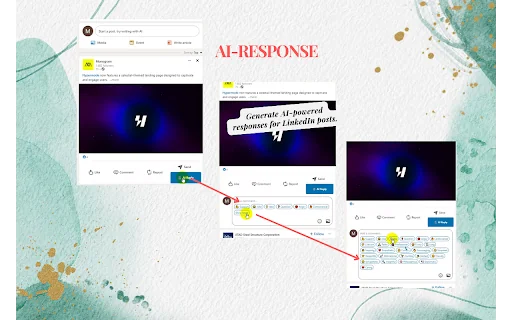
ReplyTruck is a Chrome extension that acts as an AI agent for LinkedIn engagement. It analyzes posts and your profile or company page description to generate personalized comments automatically. It works for both personal profiles and company pages, adapting tone and style to match the context.

How to use ReplyTruck - AI Assistant for LinkedIn Engagement?

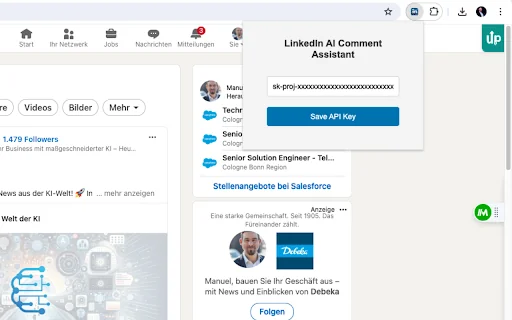
  • 1. Sign up at app.copytruck.com and add profiles (Name, Type, Description). 2. Install the ReplyTruck Chrome extension. 3. Copy your Access Key from CopyTruck Profile Settings and paste it into the extension popup to connect. 4. On LinkedIn, choose your profile or company page using the 'Comment as' menu. 5. Click the ReplyTruck icon under any post to get a personalized comment instantly. 6. Click again for fresh variations in different tones and styles.

Core features of ReplyTruck - AI Assistant for LinkedIn Engagement

  • Personalized comments for personal profiles and company pages
  • One-click engagement from the ReplyTruck icon under any post
  • Smart variations on every click with different tones and types, still context-aware
  • Seamless switching using LinkedIn's 'Comment as' menu
  • Easy setup with a simple access key from CopyTruck

User reviews

5.0

/ 5

0 reviews

5 stars
0
4 stars
0
3 stars
0
2 stars
0
1 stars
0

No reviews yet. Be the first to write one.

Similar products

ReplyTruck - AI Assistant for LinkedIn Engagement Embed

Add a website badge to show your product on Hootool—help others find the right AI tool for their problem. Easy to place on your homepage or footer.

Featured on

Hootool.ai