
Paraphrasing Tool

Paraphrasing Tool

5|0 reviews|0 favorites
Visit website
Introduction
Free AI-powered paraphrasing tool to rewrite articles, essays, and text with multiple modes and tones.
Listed on
July 22, 2026

What is Paraphrasing Tool?

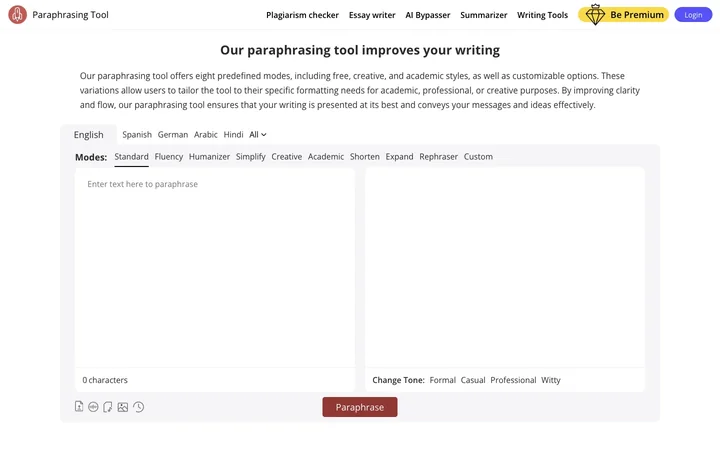
Paraphrasing Tool is an AI-powered online tool that helps users rewrite text while preserving meaning. It offers eight predefined modes (Standard, Fluency, Humanizer, Simplify, Creative, Academic, Shorten, Expand, Rephraser) and customizable options, along with tone selection. The tool also supports audio paraphrasing, speech-to-text, image text extraction, and a built-in research panel.

How to use Paraphrasing Tool?

  • Enter or paste text into the input box, or upload a document, record audio, or extract text from an image. Choose a paraphrasing mode and tone, then click the paraphrase button. You can also click on any word in the output to see synonym suggestions and definitions.

Core features of Paraphrasing Tool

  • Eight predefined paraphrasing modes (Standard, Fluency, Humanizer, Simplify, Creative, Academic, Shorten, Expand, Rephraser)
  • Custom mode creation
  • Tone selection (Formal, Casual, Professional, Witty)
  • Speech-to-text and audio paraphrasing
  • Extract text from images/screenshots
  • AI-powered thesaurus with synonym suggestions
  • Word definitions on double-click
  • Built-in research panel for references
  • Browser extensions for Chrome, Firefox, Edge, Opera, Safari
  • Mobile apps for Android and iOS

User reviews

5.0

/ 5

0 reviews

5 stars
0
4 stars
0
3 stars
0
2 stars
0
1 stars
0

No reviews yet. Be the first to write one.

Similar products

Paraphrasing Tool Embed

Add a website badge to show your product on Hootool—help others find the right AI tool for their problem. Easy to place on your homepage or footer.
Featured on

Hootool.ai