IOPaint
5|0 reviews|0 favorites
Introduction
Free, open-source image inpainting/outpainting tool powered by state-of-the-art AI models.
Listed on
July 22, 2026
What is IOPaint?
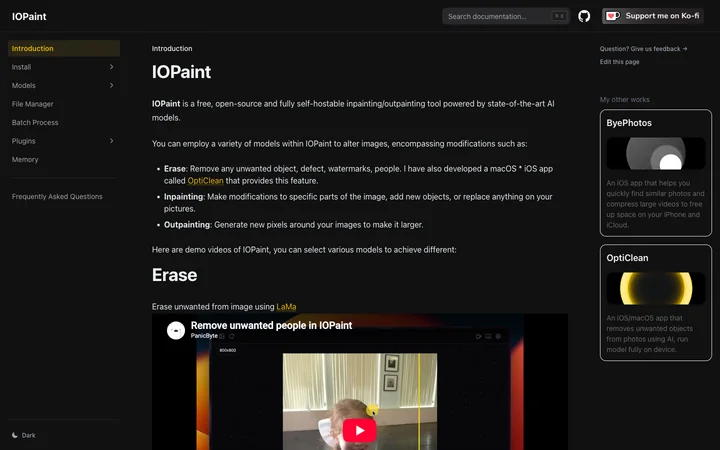
IOPaint is a free, open-source and fully self-hostable inpainting/outpainting tool powered by state-of-the-art AI models. It allows you to erase unwanted objects, defects, watermarks, or people from images, make modifications to specific parts, add new objects, or replace anything in your pictures. It also supports outpainting to generate new pixels around images to make them larger.
How to use IOPaint?
- Install IOPaint on your own server or computer using the provided one-click installer for Windows, or follow the installation instructions for other platforms. After installation, launch the application and upload an image. Select a model (e.g., LaMa, PowerPaint, AnyText) and use the brush or selection tool to mark the area you want to erase, inpaint, or outpaint. Adjust settings as needed and apply the changes to see the result.
Core features of IOPaint
- Erase unwanted objects, defects, watermarks, or people using models like LaMa, MAT, MIGAN, LDM, ZITS, FcF, Manga Diffusion
- Inpainting to modify specific parts of an image, add new objects, or replace content with models like PowerPaint, BrushNet, AnyText, InstructPix2Pix, PaintByExample, Kandinsky
- Outpainting to generate new pixels around images to make them larger
- Batch processing for multiple images
- Plugins for interactive segmentation, GFPGAN, RealESRGAN, background removal, RestoreFormer, anime segmentation, and memory optimization
User reviews
5.0
/ 50 reviews
5 stars
0
4 stars
0
3 stars
0
2 stars
0
1 stars
0
No reviews yet. Be the first to write one.
Similar products


Depositphotos AI image generator

DepositPhotos
05.0
2026 Anlatan Inc. Manage Co
05.0

IOPaint Embed
Add a website badge to show your product on Hootool—help others find the right AI tool for their problem. Easy to place on your homepage or footer.