
Image to Layers

Image to Layers

5|0 reviews|0 favorites
Visit website
Introduction
AI tool that separates any image into named, editable transparent layers.
Listed on
August 30, 2026

What is Image to Layers?

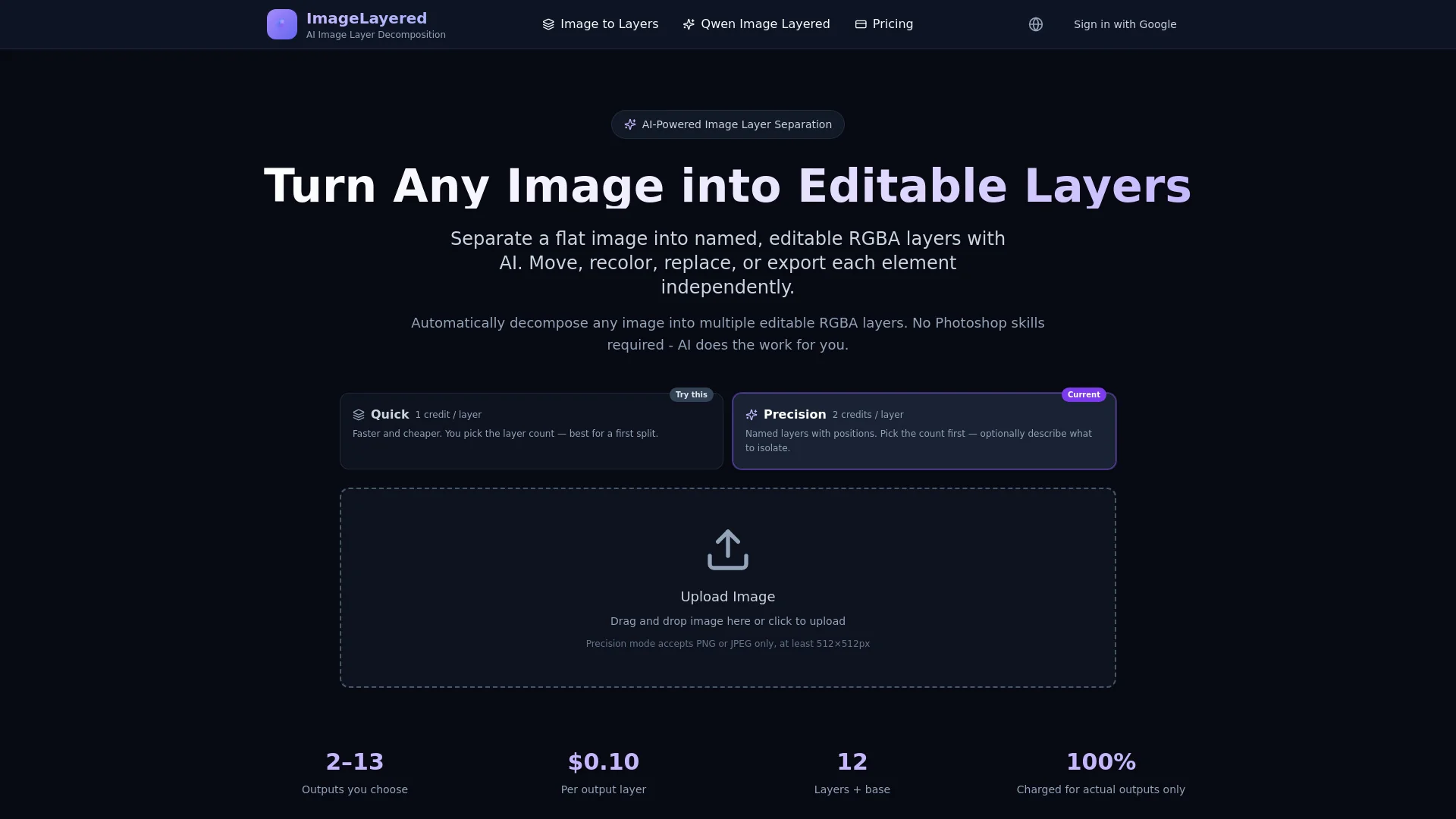
ImageLayered is an AI-powered web tool that automatically decomposes flat images into multiple editable RGBA layers. It separates subjects, text, objects, and backgrounds into individual transparent layers, eliminating the need for manual selection or masking. The tool offers two modes: Quick Layers for fast splits by count, and Precision Layers for more control with optional descriptions.

How to use Image to Layers?

  • Upload an image (PNG or JPEG, at least 512×512px). Choose between Quick or Precision mode. For Quick, set the number of layers (e.g., 4). For Precision, pick the layer count and optionally describe what to extract. The AI processes the image and outputs named layers plus an inpainted background. You can then download each layer separately or edit them independently.

Core features of Image to Layers

  • Automatic layer decomposition with AI
  • Smart background reconstruction
  • Flexible layer control (3-8+ layers, recursive decomposition)
  • Easy editing operations (resize, recolor, move, replace)
  • Quick and Precision modes
  • Powered by open-source Qwen Image Layered model

User reviews

5.0

/ 5

0 reviews

5 stars
0
4 stars
0
3 stars
0
2 stars
0
1 stars
0

No reviews yet. Be the first to write one.

Similar products

Image to Layers Embed

Add a website badge to show your product on Hootool—help others find the right AI tool for their problem. Easy to place on your homepage or footer.
Featured on

Hootool.ai