
Image2Layer

Image2Layer

5|0 reviews|0 favorites
Visit website
Introduction
AI tool that separates a flat image into editable layers and exports them as PSD, PNG, or ZIP files.
Listed on
September 17, 2026

What is Image2Layer?

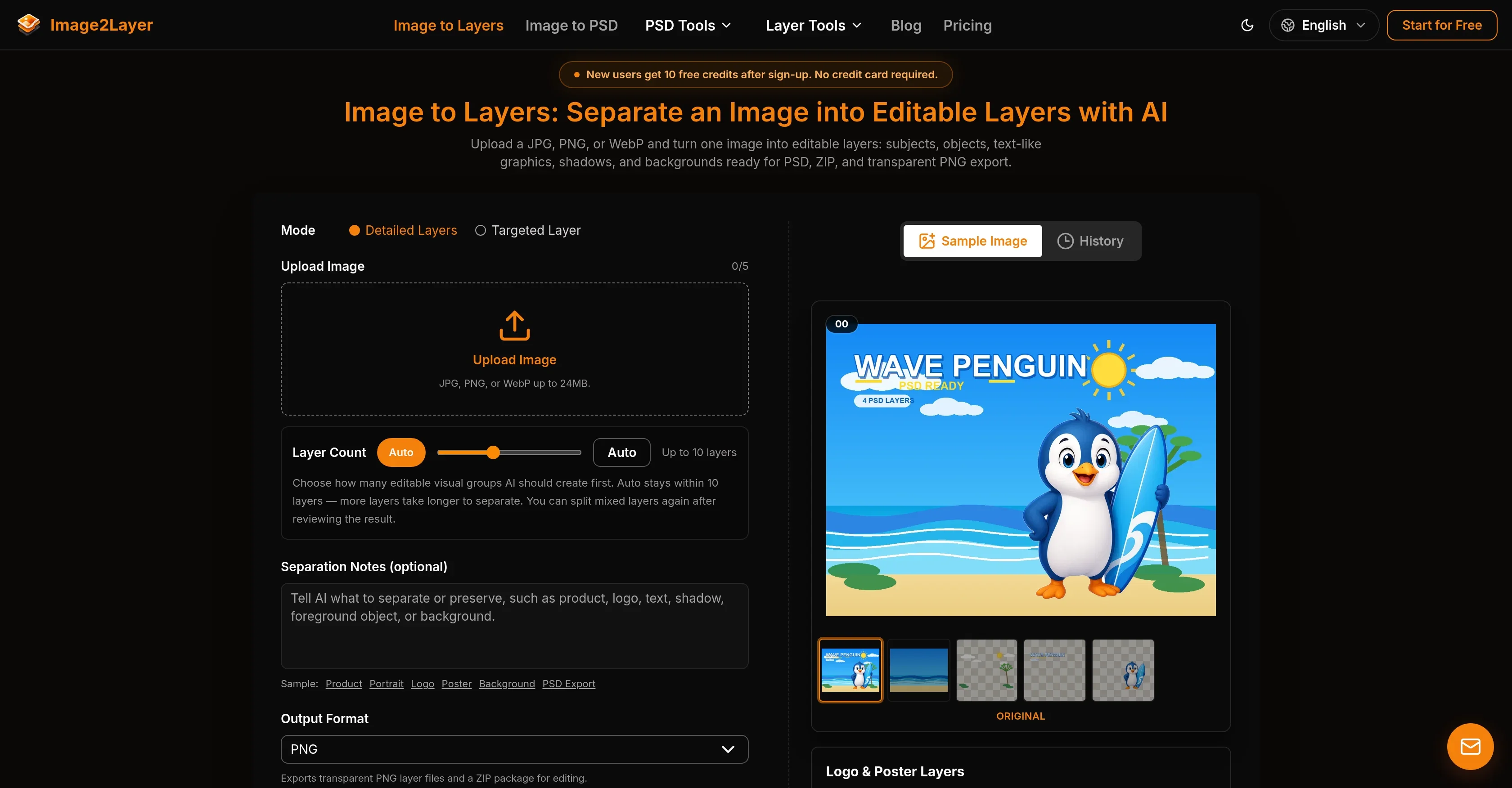
Image2Layer is an AI-powered image-to-layers tool that turns a single flat image (JPG, PNG, or WebP) into independently editable semantic layers. It detects subjects, objects, text, logos, shadows, and backgrounds, and reconstructs hidden areas behind foreground elements. Results can be exported as layered PSD files, transparent PNG layers in a ZIP, or individual PNGs for use in Photoshop, Photopea, GIMP, Affinity Photo, or Krita.

How to use Image2Layer?

  • 1. Upload a JPG, PNG, or WebP image up to 24 MB and at least 512x512 pixels. 2. Choose a mode (Detailed Layers or Targeted Layer) and set the layer count (auto, up to 10 layers), optionally adding separation notes. 3. Run the AI separation, which takes about 60-120 seconds. 4. Review the split layers and re-split mixed layers if needed. 5. Export the result as a layered PSD, transparent PNG layers in a ZIP, or individual PNGs. New users get 10 free credits after sign-up; each generation uses 20 credits.

Core features of Image2Layer

  • Semantic layer separation into up to 10 editable layers
  • Background reconstruction that repaints hidden areas behind removed objects
  • PSD, transparent PNG, and ZIP layer export
  • Detailed Layers and Targeted Layer modes
  • Character, logo, and background splitting tools
  • PSD viewer and PSD to JPG/PNG/PDF conversion
  • Text-to-PSD and prompts-to-layered-PSD generation
  • Results stored in workspace for 30 days

User reviews

5.0

/ 5

0 reviews

5 stars
0
4 stars
0
3 stars
0
2 stars
0
1 stars
0

No reviews yet. Be the first to write one.

Similar products

Image2Layer Embed

Add a website badge to show your product on Hootool—help others find the right AI tool for their problem. Easy to place on your homepage or footer.
Featured on

Hootool.ai