GeekLink
5|0 reviews|0 favorites
Introduction
Desktop app for Mac and Windows that extracts burned-in subtitles, transcribes speech, and translates subtitles locally.
Listed on
September 16, 2026
What is GeekLink?
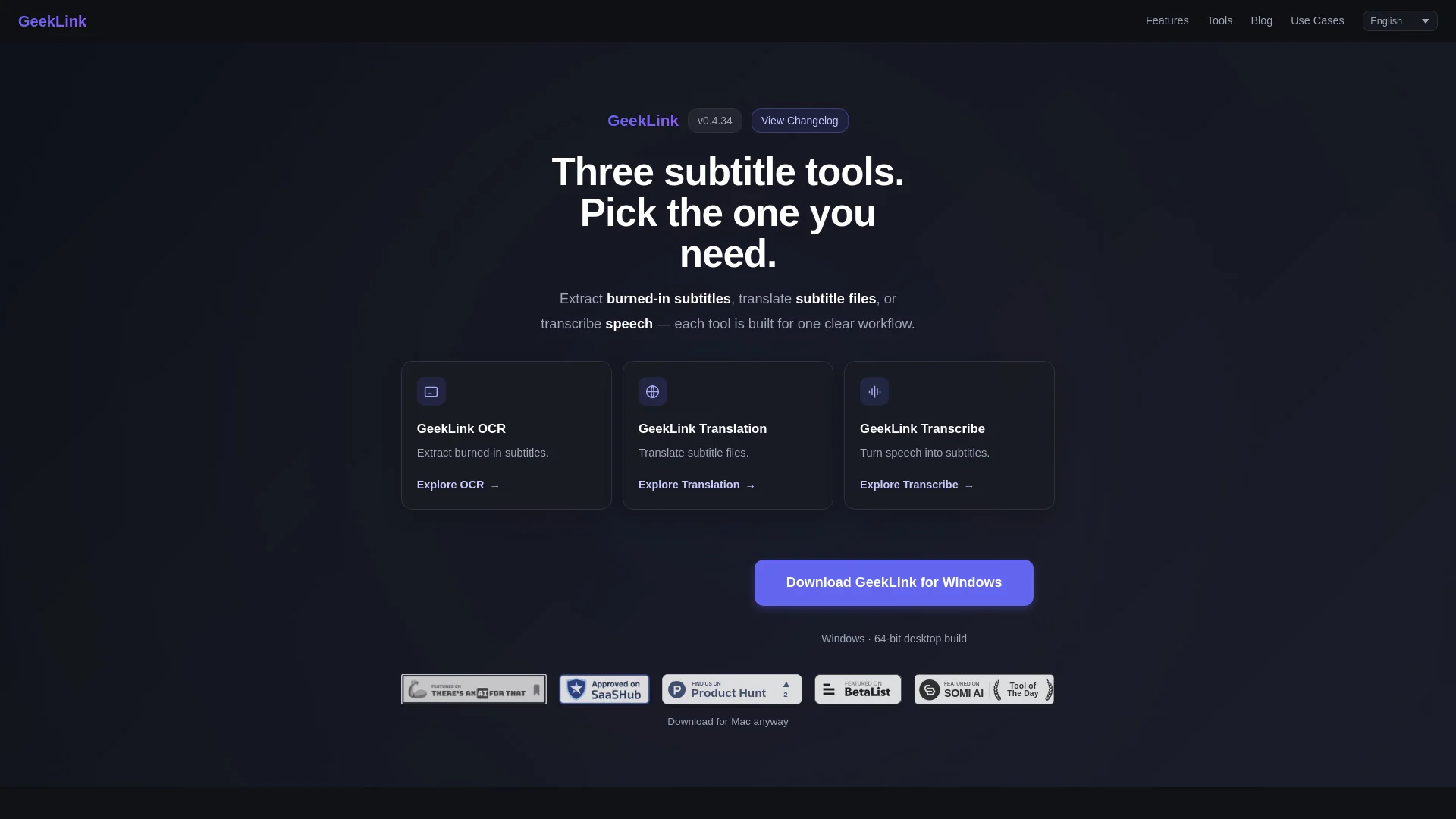
GeekLink is a desktop application for Mac and Windows that processes video subtitles locally on your computer. It combines OCR subtitle extraction, AI speech-to-text transcription, and AI-powered translation across 40+ languages. The app also handles subtitle burn-in and batch processing, functioning as an all-in-one AI subtitle factory without uploading files to a server.
How to use GeekLink?
- Download the free app for macOS (13.0+, Apple Silicon) or Windows (64-bit) from geeklink.dev on a desktop computer. A 7-day free trial of all Pro features starts automatically on first install with no sign-up or login required. Import videos or subtitle files, choose a tool (OCR, Translation, or Transcribe), configure options like subtitle color and region, then run the pipeline. After the trial, click Activate in the top-right and enter a license key to continue.
Core features of GeekLink
- Smart OCR subtitle extraction from burned-in/hardcoded subtitles into editable SRT files
- AI speech-to-text transcription powered by Whisper, fully on-device
- AI-powered translation across 40+ languages with bilingual export
- AI line-breaking and subtitle review flagging for quality control
- Subtitle burn-in and export with customizable font, color, size, and position
- Batch processing of dozens of videos, including watch-folder automation
- Offline speech and subtitle recognition after initial model download
User reviews
5.0
/ 50 reviews
5 stars
0
4 stars
0
3 stars
0
2 stars
0
1 stars
0
No reviews yet. Be the first to write one.
Similar products




GeekLink Embed
Add a website badge to show your product on Hootool—help others find the right AI tool for their problem. Easy to place on your homepage or footer.