
feeddub
New
5|0 reviews|0 favorites
Introduction
Chrome extension that dubs videos on YouTube, Netflix, Bilibili, TED and Coursera into 20 languages with synced voices.
Listed on
September 29, 2026
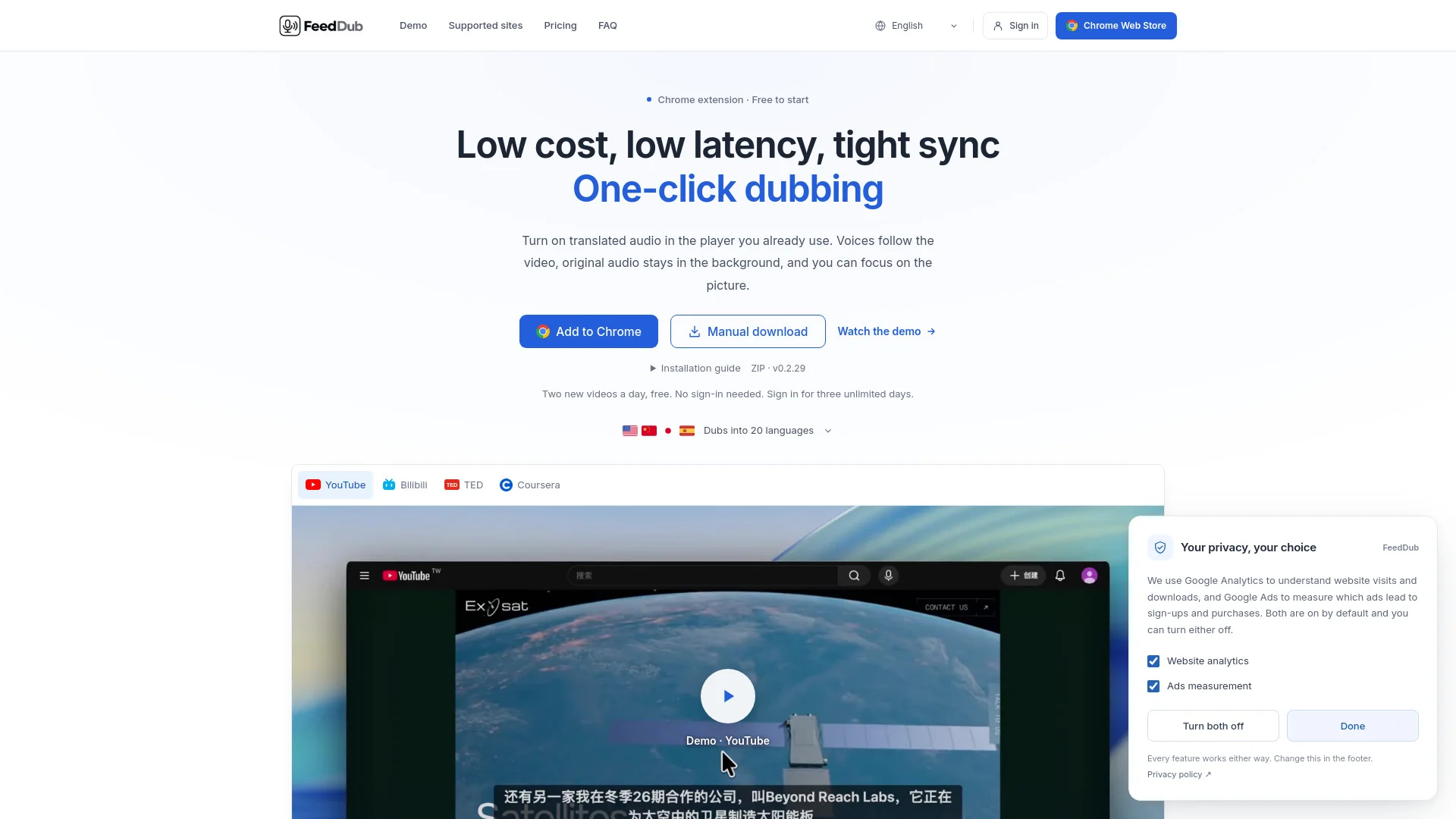
What is feeddub?
FeedDub is a Chrome extension that dubs videos into your own language directly inside the player you already use. It works on YouTube, Netflix, Bilibili, TED and Coursera, speaking translated lines on the original timing while keeping the original audio audible underneath. It supports 20 languages with male and female voices, and uses speech recognition when captions are unavailable.
How to use feeddub?
- Install the extension from the Chrome Web Store (or manually load the ZIP via chrome://extensions with Developer mode). Open a video on a supported site, then click the microphone button in the player to start dubbing. Choose your dubbing language and voice from the popup. Two new videos a day are free without signing in; sign in with Google for three unlimited days, or subscribe for $2 a month for unlimited videos.
Core features of feeddub
- One-click dubbing inside the existing video player
- Works on five sites: YouTube, Netflix, Bilibili, TED and Coursera
- 20 languages, each with male and female voices switchable from the popup
- Tight sync: each line lands on the original timing and survives scrubbing
- Low latency: prepares upcoming lines to reduce waiting
- No subtitles needed; uses speech recognition when captions are unavailable (Netflix requires original-language captions)
- Original audio stays audible in the background
- Free tier: 2 new videos a day without sign-in, unlimited rewatching
User reviews
5.0
/ 50 reviews
5 stars
0
4 stars
0
3 stars
0
2 stars
0
1 stars
0
No reviews yet. Be the first to write one.
Similar products

Prossess LLC
05.0


2026 Voice AI Inc.
05.0
ByteBlocks, LLC
🇺🇸United States
05.0
Read Aloud TTS: 文字转语音 — Text to Speech

05.0
feeddub Embed
Add a website badge to show your product on Hootool—help others find the right AI tool for their problem. Easy to place on your homepage or footer.