
EasyVeo

EasyVeo

5|0 reviews|0 favorites
Visit website
Introduction
Browser-based AI video studio that turns text, images, and reference ads into short videos across multiple models.
Listed on
September 17, 2026

What is EasyVeo?

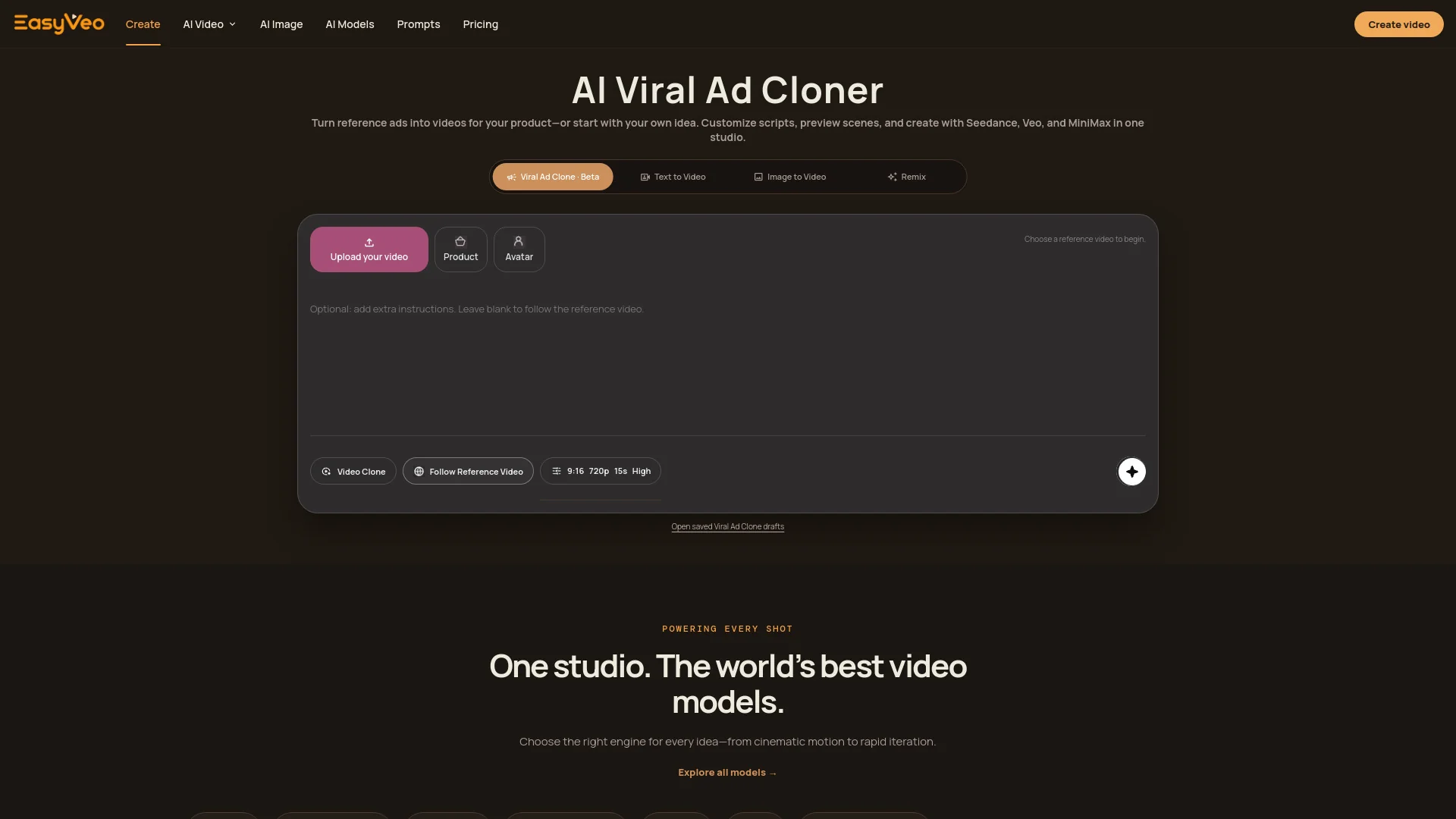
EasyVeo is a browser-based AI video studio for creating short videos from text, still images, and creative references. It aggregates multiple leading video models—Seedance 2.0, Seedance 2.0 Fast, Seedance 2.5, MiniMax H3, Veo 3.1, Veo 3.1 Lite, and Veo 3.1 Fast—into one consistent workflow. Users can generate, remix, upscale, and add sound effects, with support for vertical, landscape, and square formats.

How to use EasyVeo?

  • Open EasyVeo in your browser and start creating. Describe your scene in natural language (subject, action, camera, light, mood), or upload a still image or reference clip. Pick a video model, set format (9:16, 16:9, or 1:1) and duration, then generate. Review the result, remix or upscale as needed, and export. Credits are purchased as one-time packs and never expire.

Core features of EasyVeo

  • Text to Video: turn an idea into motion
  • Image to Video: bring still images to life
  • Video Remix: restyle any short clip
  • Video Upscaler: restore detail and clarity
  • Sound Effects: add atmosphere instantly
  • Character Lock: keep subjects consistent
  • Multi-model studio: switch between Seedance, Veo 3.1, and MiniMax models
  • Viral Video Elements Analyzer: break down and save reusable video patterns

User reviews

5.0

/ 5

0 reviews

5 stars
0
4 stars
0
3 stars
0
2 stars
0
1 stars
0

No reviews yet. Be the first to write one.

Similar products

EasyVeo Embed

Add a website badge to show your product on Hootool—help others find the right AI tool for their problem. Easy to place on your homepage or footer.
Featured on

Hootool.ai