
DeepSpeed
5|0 reviews|0 favorites
Introduction
DeepSpeed is a deep learning optimization library that makes distributed training easy, efficient, and effective.
Listed on
July 22, 2026
What is DeepSpeed?
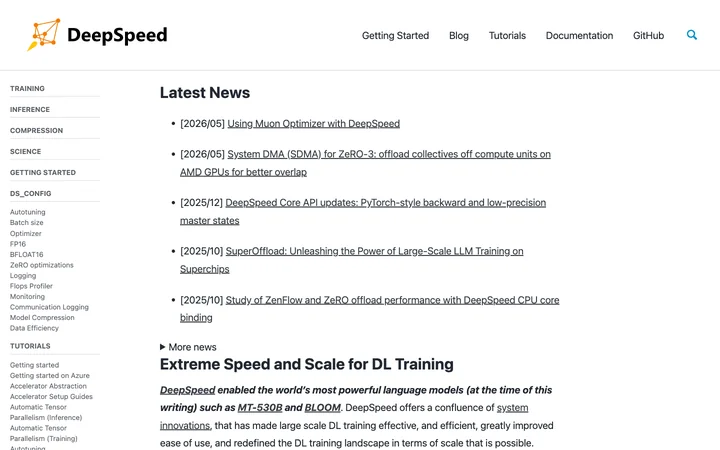
DeepSpeed is an open-source deep learning optimization library developed by Microsoft that enables efficient and effective distributed training of large-scale models. It provides a suite of system innovations including ZeRO, 3D-Parallelism, DeepSpeed-MoE, and ZeRO-Infinity, which have been used to train some of the world's largest language models. DeepSpeed integrates with popular frameworks like HuggingFace Transformers and PyTorch Lightning, and supports various accelerators including NVIDIA GPUs, AMD GPUs, Intel CPUs, and more.
How to use DeepSpeed?
- Install DeepSpeed with 'pip install deepspeed'. Wrap your PyTorch model with the DeepSpeed engine using 'deepspeed.initialize()'. Configure training via a JSON config file (ds_config.json) for optimizations like ZeRO, mixed precision, and learning rate scheduling. Use the engine's forward, backward, and step methods for training. For distributed training, use 'deepspeed.init_distributed()' and launch with the 'deepspeed' command. Refer to tutorials for specific use cases like Azure, HuggingFace integration, and accelerator setup.
Core features of DeepSpeed
- ZeRO and ZeRO-Infinity memory optimizations
- 3D-Parallelism for large-scale training
- DeepSpeed-MoE for mixture-of-experts models
- Automatic mixed precision (FP16/BF16)
- Model compression and quantization
- Integration with HuggingFace Transformers and PyTorch Lightning
- Support for multiple accelerators (NVIDIA, AMD, Intel, Huawei)
- Autotuning and performance profiling tools
User reviews
5.0
/ 50 reviews
5 stars
0
4 stars
0
3 stars
0
2 stars
0
1 stars
0
No reviews yet. Be the first to write one.
Similar products







DeepSpeed Embed
Add a website badge to show your product on Hootool—help others find the right AI tool for their problem. Easy to place on your homepage or footer.