
CutoutBG AI
5|0 reviews|0 favorites
Introduction
Free online AI background remover that cuts out subjects and exports transparent PNGs or new backgrounds.
Listed on
September 21, 2026
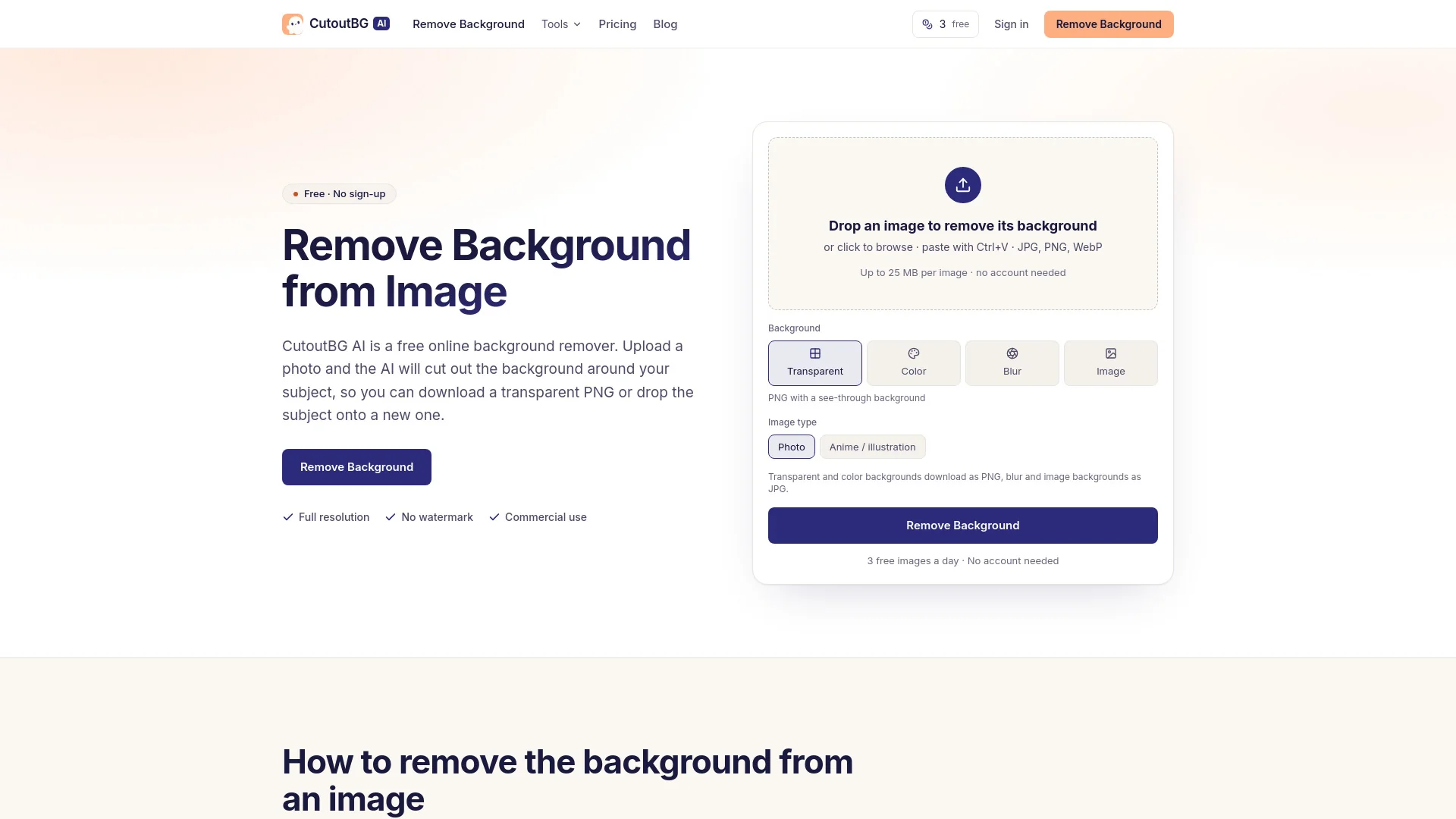
What is CutoutBG AI?
CutoutBG AI is a free online AI background remover. You upload a photo and the AI separates the subject from everything behind it, so you can download a transparent PNG or place the subject on a new background. It handles people, products, logos, signatures and illustrations, and offers transparent, solid color, blurred or custom image backgrounds.
How to use CutoutBG AI?
- 1. Upload your photo by dragging a JPG, PNG or WebP into the box, clicking to browse, or pasting with Ctrl+V (up to 25 MB free).
- 2. Let the AI cut out the subject, choosing Photo for real photographs or Anime / illustration for drawings.
- 3. Download the cutout as a transparent PNG, or pick a background first (solid color, blurred original, or your own image) and download. No account is needed for the free daily allowance.
Core features of CutoutBG AI
- AI background removal for photos, products, logos, signatures and illustrations
- Transparent PNG output with soft edges for hair and fur
- Solid color, blurred, or custom image backgrounds
- Full resolution, no watermark, commercial use allowed
- Free daily allowance: 3 images without an account, 10 when signed in with Google
- Paid plans and token packs for higher volume (400–3,000 images/month)
- Batch uploads up to 5 images at once on paid plans
- Result history kept for 7 days free, 180 days on paid plans
User reviews
5.0
/ 50 reviews
5 stars
0
4 stars
0
3 stars
0
2 stars
0
1 stars
0
No reviews yet. Be the first to write one.
Similar products


Depositphotos AI image generator

DepositPhotos
05.0
2026 Anlatan Inc. Manage Co
05.0

CutoutBG AI Embed
Add a website badge to show your product on Hootool—help others find the right AI tool for their problem. Easy to place on your homepage or footer.