
Designkit Cutout

Designkit Cutout

5|0 reviews|0 favorites
Visit website
Introduction
Free AI-powered background removal tool that instantly removes backgrounds from images for e-commerce, portraits, logos, and stamps.
Listed on
July 22, 2026

What is Designkit Cutout?

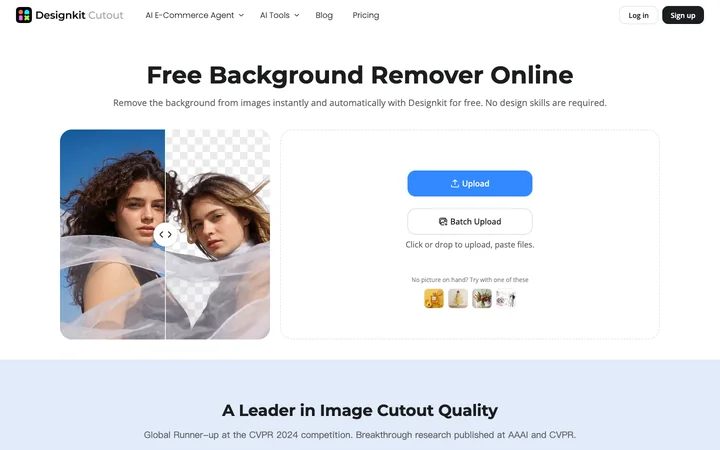
Designkit Cutout is a free online background removal tool powered by AI. It automatically detects subjects in images and removes backgrounds in seconds without requiring any design skills. The tool is a global runner-up at CVPR 2024 and is backed by breakthrough research published at AAAI and CVPR. It supports various image types including e-commerce product photos, portraits, pets, logos, and signatures.

How to use Designkit Cutout?

  • To use Designkit Cutout: 1) Upload your image in JPEG, PNG, or WEBP format by clicking or dropping files, or use batch upload for multiple images; 2) The AI automatically identifies the subject and removes the background; 3) Edit the result using the built-in editor to refine edges or change the background, then download as transparent PNG or with a new background color/image.

Core features of Designkit Cutout

  • Instant AI-powered background removal in seconds
  • Batch upload for processing multiple images at once
  • Fine-tune edges for hair, fabric, and shadows
  • Change background to solid color, gradient, or custom image
  • Support for stamps and signatures with accurate detail preservation
  • Built-in photo editor for manual adjustments
  • Export as transparent PNG or standard formats
  • Compatible with e-commerce platforms (Amazon, Shopify)

User reviews

5.0

/ 5

0 reviews

5 stars
0
4 stars
0
3 stars
0
2 stars
0
1 stars
0

No reviews yet. Be the first to write one.

Similar products

Designkit Cutout Embed

Add a website badge to show your product on Hootool—help others find the right AI tool for their problem. Easy to place on your homepage or footer.

Featured on

Hootool.ai