
Crew Tower
5|0 reviews|0 favorites
Introduction
Approve your AI coding agents from the notch on macOS.
Listed on
August 22, 2026
What is Crew Tower?
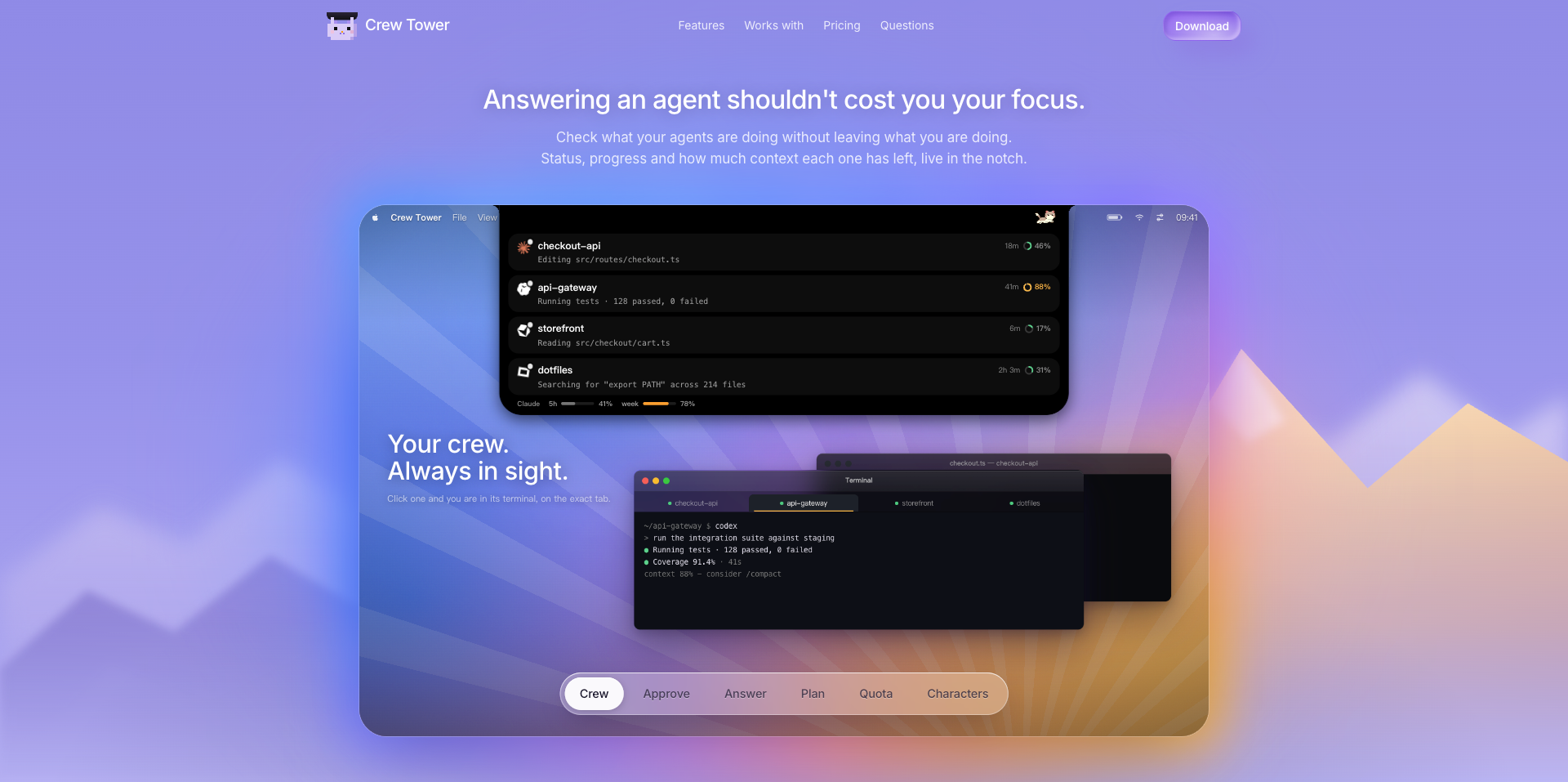
Crew Tower is a macOS app that lives in the notch and lets you monitor and approve actions from AI coding agents like Claude and Codex. It shows status, progress, and context usage of each agent session, and allows you to approve commands, answer questions, and jump to the exact terminal tab without leaving your current work.
How to use Crew Tower?
- Download the app for Mac (macOS 15 or later), install it, and it will appear in the notch. As your coding agents run, their sessions appear in the notch with status and context info. When an agent needs approval or asks a question, you can respond directly from the notch—approve commands, pick options, or jump to the terminal tab. Use privacy mode to hide the panel when sharing your screen.
Core features of Crew Tower
- Approve agent commands directly from the notch
- Answer agent questions with rendered option buttons
- View context window usage with color-coded rings
- Jump to the exact terminal tab for any session
- Flag dangerous shell commands before approval
- Session-based or persistent approval rules
- Privacy mode for screen sharing
- Track Claude/Codex subscription quota
User reviews
5.0
/ 50 reviews
5 stars
0
4 stars
0
3 stars
0
2 stars
0
1 stars
0
No reviews yet. Be the first to write one.
Similar products



Crew Tower Embed
Add a website badge to show your product on Hootool—help others find the right AI tool for their problem. Easy to place on your homepage or footer.