
CANVID
5|0 reviews|0 favorites
Introduction
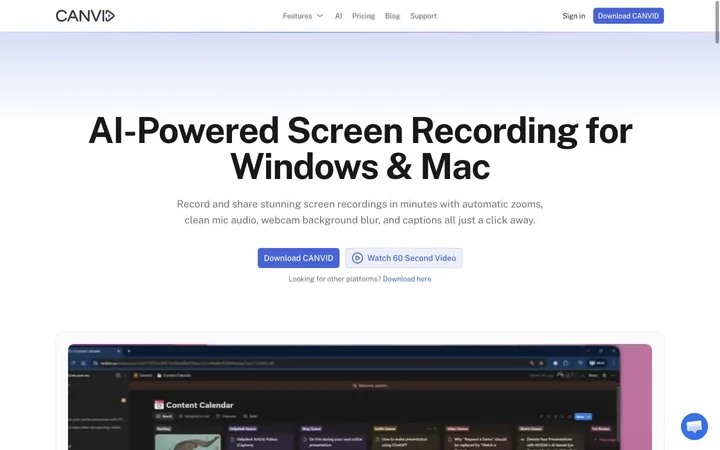
AI-powered screen recording for Windows & Mac with auto zooms, voice clarity, webcam background blur, and captions.
Listed on
July 23, 2026
What is CANVID?
CANVID is a screen recording software for Windows and Mac that lets you capture your screen, webcam, mic, and system audio, then polish everything in the same workflow. It uses AI to auto-zoom on clicks, clean up mic audio, blur or replace webcam backgrounds, and generate captions, making it easy to create professional-looking demos, tutorials, and support videos without heavy editing.
How to use CANVID?
- Download and install CANVID on your Windows or Mac device. Sign in with an internet connection. Start a screen recording, optionally adding webcam and mic. Use the editor to trim, adjust auto zooms, tweak captions, and apply AI features like voice clarity and background effects. Export your video or use Quick Share to generate a shareable link instantly.
Core features of CANVID
- Automatic zooms on clicks and cursor movement
- AI voice clarity to remove background noise
- Webcam background blur, removal, or replacement
- Auto-generated captions with transcript editing
- Quick Share to create instant shareable links
- 4K screen recording at up to 60fps
- Edit-while-you-record workflow with timeline controls
- Cross-platform support for Windows and Mac
User reviews
5.0
/ 50 reviews
5 stars
0
4 stars
0
3 stars
0
2 stars
0
1 stars
0
No reviews yet. Be the first to write one.
Similar products




CANVID Embed
Add a website badge to show your product on Hootool—help others find the right AI tool for their problem. Easy to place on your homepage or footer.