
BridgeMind
5|0 reviews|0 favorites
Introduction
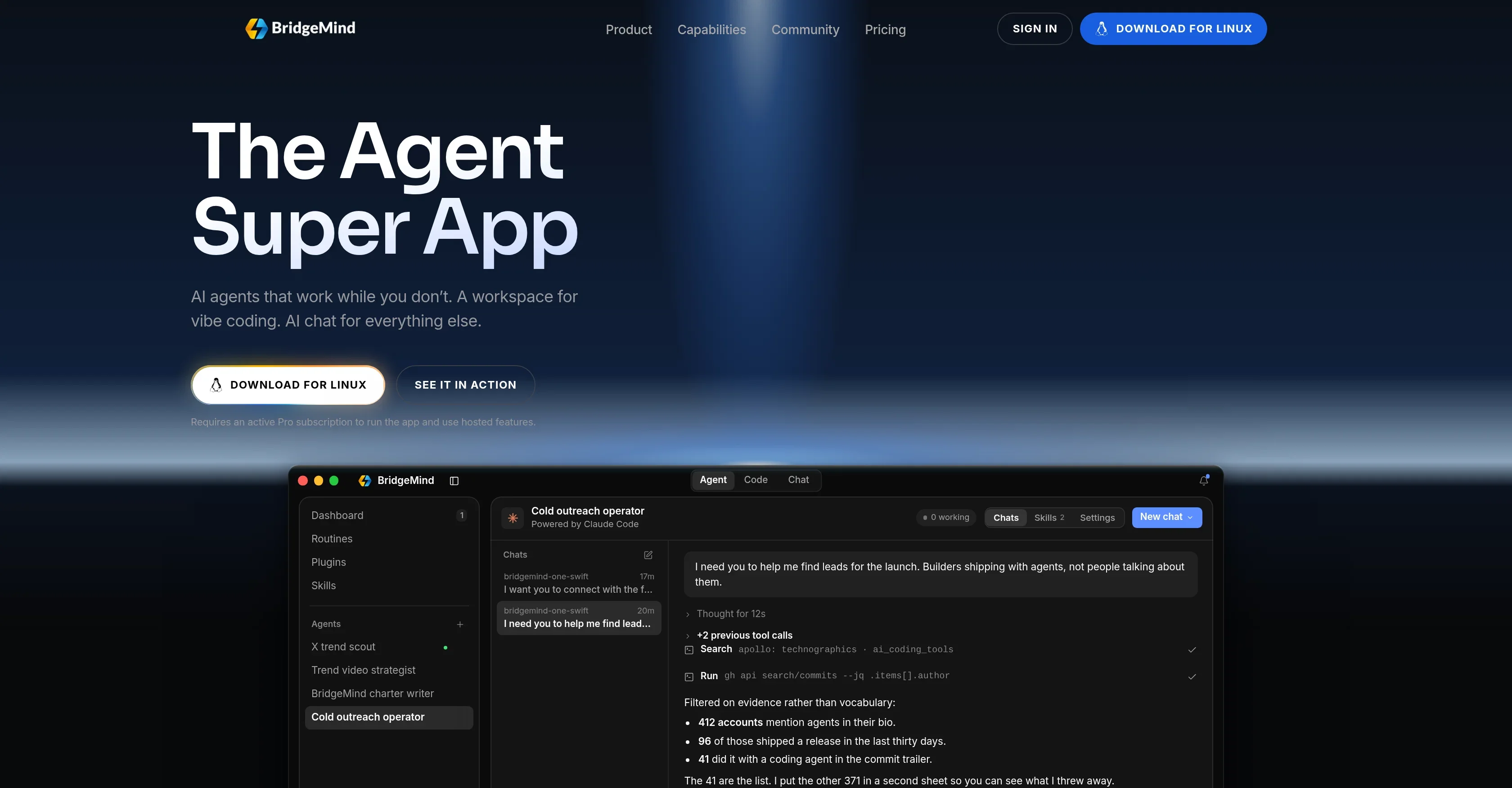
The Agent Super App: AI agents on routines, a workspace for vibe coding, and AI chat — native on Mac, Windows, and Linux.
Listed on
September 9, 2026
What is BridgeMind?
BridgeMind is a native desktop application that combines AI agents, a coding workspace, and AI chat into one unified interface. It allows users to create and manage AI agents that operate on schedules, run coding agents like Claude Code and Codex in live terminal panes, and engage in sandboxed conversations. The app is designed for builders who want to automate tasks and streamline their development workflow.
How to use BridgeMind?
- Download and install BridgeMind for Mac, Windows, or Linux. Activate a Pro subscription to run the app and access hosted features. In Agent mode, create named agents, assign briefs, and set routines for scheduled work. In Code mode, launch coding agents into live terminal panes over your folders. In Chat mode, start sandboxed conversations not tied to a project. Use the title bar switch to toggle between modes.
Core features of BridgeMind
- Agent mode: Create AI agents with routines that run on schedules
- Code mode: Live terminal panes for vibe coding with Claude Code, Codex, Cursor Agent, Gemini CLI, and more
- Chat mode: Sandboxed conversations with file drop and question-asking
- BridgeVoice: Voice-to-text feature included with Pro
- Split, snap, and dock panes for parallel agent work
- Dock a browser on localhost or a thread beside the shell for review
- Cross-platform: macOS 14.0+, Windows, Linux
User reviews
5.0
/ 50 reviews
5 stars
0
4 stars
0
3 stars
0
2 stars
0
1 stars
0
No reviews yet. Be the first to write one.
Similar products



BridgeMind Embed
Add a website badge to show your product on Hootool—help others find the right AI tool for their problem. Easy to place on your homepage or footer.