
Text to Speech (TTS) Read Aloud Voice Reader by Audeus
5|0 reviews|0 favorites
Introduction
Read aloud using text-to-speech (TTS) to convert webpages, PDF, emails, & text to audio.
Listed on
July 23, 2026
What is Text to Speech (TTS) Read Aloud Voice Reader by Audeus?
Audeus is a text-to-speech (TTS) Chrome extension that converts webpages, PDFs, emails, Google Docs, Word documents, and other text into natural-sounding audio. It uses AI voices to help users read faster, improve focus, and boost productivity. The extension syncs reading progress across devices and offers a library of documents accessible via the Audeus web app.
How to use Text to Speech (TTS) Read Aloud Voice Reader by Audeus?
- Install the Chrome extension from the Chrome Web Store, then click the Audeus icon on any webpage or document to have it read aloud. You can adjust playback speed, choose from over 150 AI voices, and use the custom text editor to listen to your writing. The extension highlights text in sync with the audio, and you can access your saved library across devices via audeus.com.
Core features of Text to Speech (TTS) Read Aloud Voice Reader by Audeus
- Instant text-to-speech conversion of webpages, PDFs, emails, Google Docs, Word docs, and more
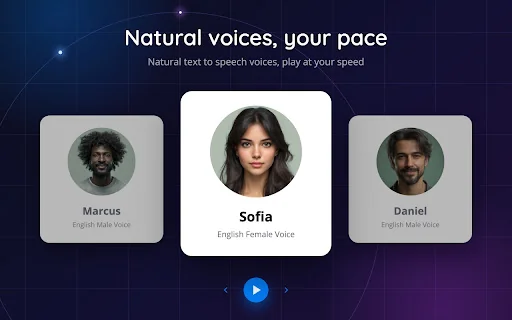
- Over 150 lifelike AI voices in 50+ languages
- Customizable playback speed from 0.5x to 3.5x
- Sync text highlighting that follows the spoken word
- Custom text editor to write and listen to your writing
- Cross-device sync of reading progress and document library
- Works with PDFs, Word docs, non-DRM ePubs, and more
User reviews
5.0
/ 50 reviews
5 stars
0
4 stars
0
3 stars
0
2 stars
0
1 stars
0
No reviews yet. Be the first to write one.
Similar products
Prossess LLC
05.0

2026 Voice AI Inc.
05.0
ByteBlocks, LLC
🇺🇸United States
05.0
Read Aloud TTS: 文字转语音 — Text to Speech
05.0
Text to Speech (TTS) Read Aloud Voice Reader by Audeus Embed
Add a website badge to show your product on Hootool—help others find the right AI tool for their problem. Easy to place on your homepage or footer.